Maximize Your Leads with Google GLS: A Simple Guide for Businesses
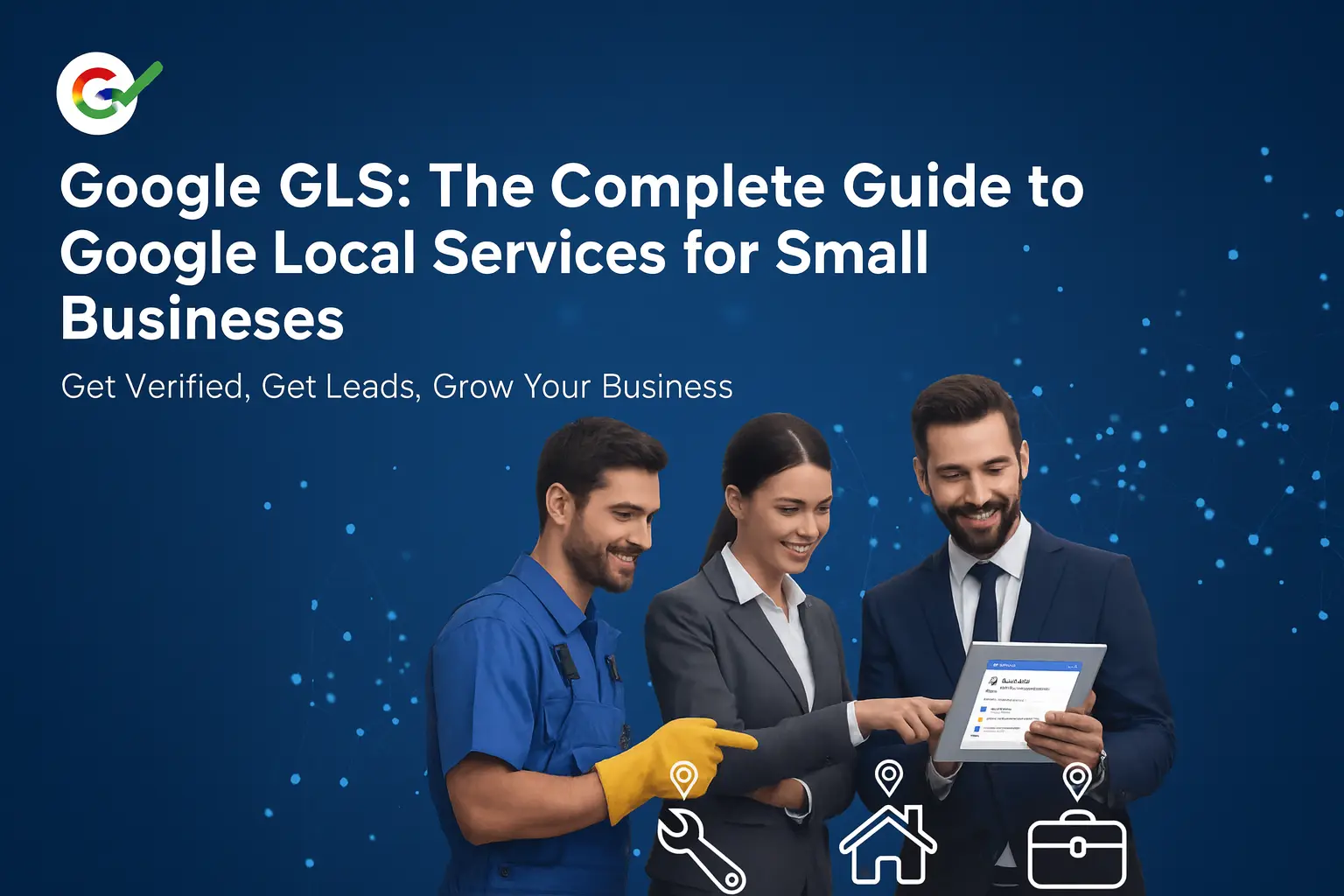
Google GLS: The Complete Guide to Google Local Services for Small Businesses Featured Snippet Google Local Services (GLS)—also called Google Local Service Ads (LSAs)—is a pay‑per‑lead ad platform that places verified ...
Google GLS: The Complete Guide to Google Local Services for Small Businesses
Are you losing leads without knowing it?
Most home services businesses miss 30-50% of after-hours leads. Multi-location franchises often have no visibility into location-level response times.
See How Many Leads You're Losing Per Location →Featured Snippet
Google Local Services (GLS)—also called Google Local Service Ads (LSAs)—is a pay‑per‑lead ad platform that places verified local providers at the very top of Google Search. You only pay for valid leads(calls/messages/bookings), not clicks.
The basics of setting up Google Local Service Ads include providing accurate business information, completing the required screening, and passing verification processes to get started effectively.
Success hinges on (1) creating your account and completing verification to earn a Google Guaranteed/Screened badge (only eligible businesses can receive the Google Guaranteed badge, which helps build trust with potential customers), (2) fast responses (< 5 minutes), (3) strong Google reviews, and (4) a focused service area & budget you can reliably serve.
Why GLS matters
When Maria’s HVAC company switched to GLS, she tripled qualified leads while competitors kept paying for clicks that didn’t become jobs. GLS helps attract more clients by generating direct inquiries from people searching for local services, increasing your chances of connecting with potential customers. Because GLS charges per lead rather than per click, your spend aligns with real opportunities—especially for urgent, local needs where customers want to book now. This increase in qualified leads can directly translate into more sales for your business, as you convert local inquiries into actual revenue.
What is Google GLS (Local Services Ads)?
GLS is Google’s ad product for local service businesses (HVAC, plumbing, legal, dental, cleaning, etc.). A Google Local Services Ad is a type of local services ad that appears at the very top of search results, above paid search and organic results. Unlike search PPC where you pay per click and send traffic to your site, GLS places your profile in a prominent position and lets customers call, send a message request, or request booking directly from the ad. Customers can also see the services you offer directly in the ad card. You’re charged only when a qualified lead contacts you, and it’s important to provide prompt responses to message requests and calls to maximize your ad performance.
Real‑world example (Plumbing, Denver):
- Traditional PPC: $2,000 → ~500 clicks → ~20 service calls.
- GLS: ~$1,400 → ~35 direct leads from people ready to hire via calls or message requests.
How GLS works (end‑to‑end)
- Sign up & verification (screening): Submit license(s), insurance, and background checks (as required by category). Typical timeline is ~5–10 business days. While pending, ads may run with a lower‑trust “verification in progress” label.
- Badging: Qualify for Google Guaranteed (home services), Google Screened (professional services), or License Verified by Google (healthcare). Badges show on your ad and materially increase trust and lead volume.
- Placement: Ads appear at the very top for relevant local searches (e.g., “emergency plumber near me”). Cards display your rating, review count, badge, hours, and phone.
- Lead delivery: Leads arrive via phone, message, or booking request in the GLS dashboard/app. You can accept, respond, or dispute invalid leads.
- Ranking factors (simplified):
- Response speed (minutes matter)
- Review rating & volume
- Proximity & service area fit
- Budget & weekly lead caps
- Business hours/availability and complaint history
License verification by Google
License verification by Google is a cornerstone of trust for businesses using Google Local Services Ads. When you complete Google’s license checks, your business earns the “License Verified by Google” badge—an instant credibility boost that sets you apart in local search results. This badge signals to potential customers that your business meets all required standards and regulations, making it easier for them to choose your services with confidence.
For professional service firms—like healthcare providers, lawyers, and accountants—this verification is especially valuable. It demonstrates your commitment to professionalism and excellence, helping you attract more leads from customers searching for reliable local services. The badge also enhances your Google Business Profile, increasing your visibility when customers are searching for services in your area. By completing license verification, your business not only meets Google’s requirements but also gains a powerful tool to attract more leads and build lasting trust with your local community.
Badge types & what they mean
- Google Guaranteed badge (home services): Only eligible businesses or services can qualify. Requires background checks (owners/key staff), valid licensing, and business liability insurance. The Google Guaranteed badge establishes credibility and trust with potential customers by including a Google‑backed money-back guarantee or customer reimbursement (coverage amount varies by market) when quality criteria are met.
- Google Screened badge (professional services): Only eligible businesses or services can qualify. Verifies professional credentials and business legitimacy (common for legal, real estate, financial).
- License Verified by Google badge (healthcare): Only eligible businesses or services can qualify. Confirms active medical/veterinary/mental health licenses with the appropriate boards.
Impact in practice: Businesses with badges generally see higher trust, more calls, and better close rates—especially on high‑ticket jobs (roofing, HVAC installs, legal consultations). The Google Guaranteed badge, in particular, can help attract first-time clients by providing financial assurance and peace of mind regarding their money.
Pre-badge ads and their benefits
With Google Local Services Ads, you don’t have to wait until your verification is complete to start connecting with customers. Pre-badge ads allow your business to begin receiving leads while you’re still going through the preliminary checks for the Google Guaranteed or Google Screened badges. This feature means you can start attracting new leads and providing services in your area right away, even before your badge is fully approved.
Although pre-badge ads are ranked below fully verified businesses, they still offer valuable visibility in your service area. By running pre-badge ads, you can gain early access to high quality leads, optimize your local services ads listing, and improve your online presence. This opportunity helps you build momentum, receive leads, and refine your approach before your badge goes live. For businesses eager to grow, pre-badge ads are a smart way to connect with customers, expand your reach, and make the most of every opportunity Google Local Services provides.
Google Screened and its benefits
The Google Screened badge is designed to help professional service firms stand out and build trust with potential customers. To earn this badge, your business must pass comprehensive background and license checks, demonstrating your commitment to quality and professionalism. Once approved, the Google Screened badge appears next to your listing in Google Search results, giving customers extra confidence when choosing your services.
Displaying the Google Screened badge can significantly increase your credibility and attract more leads, especially for services like window repair, snow removal, and tree services. Customers searching for these services are more likely to contact businesses that have been vetted by Google, knowing they’re working with a reputable provider. The badge also improves your visibility in search results, helping your business rise above the competition and connect with more local customers. For any professional service firm, Google Screened is a powerful way to improve your reputation and drive more high quality leads.
Cost structure & budgeting (pay‑per‑lead)
You pay only for qualified leads. Typical lead ranges (vary by market):
- Plumbing: ~$30–$80 per lead
- Electrical: ~$35–$90
- HVAC: ~$40–$100
- Home cleaning: ~$15–$40
- Landscaping: ~$25–$60
- Pest control: ~$35–$75
- Legal: ~$200–$500+
Budgeting tips:
- Use Google’s estimator to set a weekly lead target that matches your team’s capacity and manage your ad spend by week for better control.
- Pause instantly when fully booked or if your business is too busy to handle new leads. If you pause too long, you might miss out on valuable local leads.
- Shape demand via service area radius/ZIPs, hours, and seasonal budget shifts.
ROI snapshot (Carpet Cleaning):
- PPC: $2,400/mo → 22 customers → $109 CAC
- GLS: $1,800/mo → 31 customers → $58 CAC
Targeting & service areas
Define a radius/ZIP/city list that you can serve fast and profitably. Start tight (15–20 miles), then expand as your response capacity allows. Keep your Google Business Profile (GBP) in sync (hours, services, coverage) to help matching accuracy.
Reviews = ranking + conversion power
Reviews are prominent on GLS. A steady flow of recent, authentic 4.5★–5★ reviews boosts ranking, trust, and close rate.
Workflow that works:
- Ask at job wrap‑up (techs mention it).
- Send a direct review link within 24–48 hours.
- Reply to every review (thanks + specifics).
- Triage negatives with fast, professional service recovery.
Optimization playbook
Response time is king. Rough guide to impact:
- <2 min: premium boost
- 2–5 min: strong positive
- 5–15 min: neutral/slight drag
- 15+ min: significant penalty
- >1 hour: severe penalty
Set yourself up to win:
- Install the GLS app on multiple team phones with push alerts.
- Create message templates for rapid, professional replies.
- Use an after‑hours answering service or on‑call rotation.
- Track lead → job → revenue. Shift budget to the best ZIPs and services.
Advanced features of Google Local Services
Google Local Services offers a suite of advanced features designed to help businesses attract more leads and optimize their ad performance. One of the most valuable features is the ability to set a budget and pay only for leads that meet your specific criteria, ensuring you get high quality leads without overspending. You can also track appointments and bookings directly through the platform, giving you clear insights into customer engagement and helping you manage your workflow more efficiently.
Another powerful feature is message requests, which allow customers to contact your business directly from your ad. This makes it easy for customers to reach out, ask questions, or request services—helping you capture more leads and respond quickly. By leveraging these advanced features, businesses can improve their visibility in Google Local, gain actionable insights, and attract more customers. Optimizing your use of these tools ensures you get the most out of your Google Local Services investment, driving more appointments and high quality leads to your business.
Real‑world examples (beyond HVAC & plumbing)
- Locksmith (urban core): Focused ZIPs, 24/7 hours, sub‑5‑minute responses → high share of emergency lockouts at premium trip fees.
- Roofer (suburbs): Badge + storm‑season budget surge + review drive → more full‑roof replacements vs competitors relying on PPC clicks.
- Dentist (family practice): License Verified + messaging enabled + Saturday hours → higher new‑patient bookings from parents searching on mobile.
- Estate lawyer: Google Screened + education‑first phone scripts → better qualification and higher consult‑to‑client rate on will/trust packages.
Common pitfalls to avoid
- Out‑of‑date GBP (hours, services, coverage).
- Slow responses (the #1 ranking killer).
- Unrealistic teaser pricing that hurts reviews.
- Service area too wide (lower quality + longer drive times).
- No dispute process (can miss credits on spam/misdials by failing to dispute invalid leads).
Troubleshooting common issues
Running into issues with your Google Local Services Ads? You’re not alone—common problems like verification delays, ad visibility drops, or lead tracking hiccups can happen to any business. The first step is to review your Google Business Profile and make sure all information—like business hours, services offered, and service area—is accurate and up-to-date. This helps Google match your ads to the right customers and ensures a convenient experience for anyone searching for your services.
Next, double-check your ad settings to confirm you’re targeting the correct service area and customer demographics. If you’re still having trouble, don’t hesitate to contact Google support for help resolving issues with your local services ads. Regularly updating your business details and monitoring your ad performance can improve your visibility, attract more leads, and ensure your customers always have the right information. Staying proactive with troubleshooting keeps your ads running smoothly and helps your business make the most of every opportunity Google Local Services has to offer.
Disputes & invalid leads
Document misdials/spam/wrong‑service/duplicate leads and submit disputes via the GLS app with specifics (time, number, reason). Keep a short dispute log—most valid credits post within a few business days.
Getting started (checklist)
Eligibility & docs
- Only eligible businesses can proceed with the application
- Active license(s), business liability insurance, tax ID
- Government ID(s) for owners; background checks (if required)
- Service list, pricing approach, hours, high‑quality photos
Setup
- Start by creating your account and workflows
- Exact legal business name (match all docs)
- Define service area (start focused)
- Set weekly lead goal and notification rules
- Connect call recording/tracking and a simple CRM/sheet
Day‑1 success
- Staff trained on scripts and response SLA; learn best practices using available resources
- Review request workflow live
- Dispute log template ready
GLS vs. traditional Google Ads (search PPC)
| Aspect | GLS (Local Services) | Search PPC |
|---|---|---|
| Billing | Pay‑per‑lead | Pay‑per‑click |
| Destination | Call/message/booking from ad | Website landing page |
| Setup | Simple (no keywords/LPs) | Complex (keywords, ads, LPs, tracking) |
| Control | Lower (Google formats/targeting) | Higher (copy, offers, audiences) |
| Typical intent | Hire now | Research → maybe hire |
| Best for | Urgent/local services, capacity‑driven teams | High‑consideration, content‑led funnels |
Many winning teams run both: GLS for urgent/near‑term jobs; PPC for larger planned projects (e.g., remodels) and brand growth.
Measuring success & ROI
Track more than leads:
- Lead → appointment → job rate by category/ZIP
- Revenue & margin by lead source
- Response time distribution
- Review velocity & rating trend
Use basic call tracking or your CRM to tie leads to revenue. Calculate true CAC and 12‑month LTV (repeat work + referrals) to inform budget.
Frequently Asked Questions (FAQ)
Is GLS the same as Google Ads?
No. GLS, also known as Google Local Service Ads, is pay‑per‑lead with calls/messages from ad cards at the top of search; Google Ads is pay‑per‑click that sends users to your website.
What determines my ad rank in GLS?
Primary factors: response speed, reviews/rating, proximity/service area match, budget & availability, and historical customer experience.
Do I need a website to use GLS?
No. Leads can contact you directly from the ad. A solid Google Business Profilestill helps.
How fast should I respond to get the most leads?
Aim for under 5 minutes; under 2 minutes is ideal. Providing prompt responses increases your chances of converting leads into clients.
What counts as a ‘valid’ (billable) lead?
A real inquiry for a listed service in your service area during your stated hours (or allowed after‑hours). Spam/misdials/wrong‑service can be disputed.
How do disputes/credits work?
Submit via the GLS app with details (caller ID, timestamp, reason). Keep a log. Valid disputes are typically credited to your account balance.
Can I cap my spending?
Yes. Set your budget by week with weekly lead targets and pause anytime, especially if you get busy. Adjust service area/ZIPs and hours to shape volume.
Why am I not showing up all the time?
Inventory is limited. Visibility rotates based on rank signals, budget pacing, proximity, and user context.
Do reviews on my Google Business Profile affect GLS?
Yes. Your rating and count are prominent on GLS cards and influence both ranking and conversion.
Can I use call recording?
Yes—enabled in many regions. It helps with QA, coaching, and dispute documentation (follow local call‑recording laws).
Multi‑location or franchise—separate accounts?
Typically one profile per location with distinct licenses, phone numbers, and service areas.
Does GLS integrate with my CRM?
Direct integrations are limited; many teams use Zapier, call tracking, or manual workflows to push leads into CRMs like ServiceTitan, Jobber, or HubSpot.
Can I schedule jobs directly from GLS?
Some categories support booking requests; most leads still start with a call/message.
What if I’m new and have few reviews?
Start with a tight area, deliver great service, and run a review program. Early responsiveness can offset low review count.
Do after‑hours leads count?
If you list after‑hours availability or the category allows it, yes. If not, adjust your hours to avoid off‑hours charges.
QWill GLS work for high‑consideration services (e.g., remodels, legal)?
Yes, but cycles are longer. Pair GLS with PPC/SEO/content to nurture.
How do I handle price shoppers?
Use a qualification script: confirm urgency, scope, timing, budget range; offer ranges/diagnostic visit rather than free phone quotes for complex work.
How much insurance do I need?
Varies by category/market. Home services commonly require business liability coverage; confirm current thresholds when applying.
Can I run GLS without passing verification?
You can often advertise while verification is in progress, but performance is typically better once fully badged.
What languages can I support?
You can note supported languages in your profile—useful for multilingual markets.
How do seasons affect strategy?
Increase budgets 2–3 weeks before peak demand; create overflow plans; maintain a minimal presence in off‑season for steady review flow and brand recall.
How do I pick the right service area?
Start with your highest‑margin ZIPs close to base. Expand only where ROI holds after travel time.
Are messages cheaper than calls?
Pricing can vary by category/market; many teams convert calls at higher rates but find messages valuable for non‑urgent requests.
Can competitors click or call to waste budget?
Clicks aren’t billed. For calls/messages outside scope, use the dispute process and call recordings for evidence.
How do I improve visibility quickly?
Tighten service area, boost response speed, request 5–10 fresh reviews, extend hours for peak periods, and ensure your profile is complete with accurate services and quality photos.
How do I specify the services I offer in my ad setup?
When setting up your local services ad, you’ll be prompted to select the specific services you offer. This helps connect you with customers searching for those services.
Who is eligible to apply for Google Local Service Ads?
Eligibility depends on your business category, location, and ability to pass Google’s screening and verification process. Only eligible businesses can receive the Google Guaranteed badge.
What is the Google Guaranteed badge and why does it matter?
The Google Guaranteed badge is awarded to eligible businesses that pass Google’s screening. It builds trust with potential clients and can increase your chances of being chosen, especially by first-time customers.
What’s the difference between Google Local Service Ads and other ad types?
Google Local Service Ads are pay-per-lead and appear at the top of local search results, connecting you directly with nearby clients. Other ad types, like Google Ads, are pay-per-click and typically drive traffic to your website.
What types of ads are available in GLS?
The main category is the local services ad, which is designed to connect local customers with service providers in their area.
How can customers contact me through GLS?
Customers can reach you by calling, sending a message, or submitting a message request directly from your ad.
Who will contact me through GLS?
You’ll receive inquiries from potential customers and clients looking for the services you offer.
How do I respond to leads from GLS?
Provide prompt responses to all leads—quick replies help convert inquiries into clients and improve your ad ranking.
What if I get too busy to handle new leads?
You can pause your ads at any time if you get busy or need to manage your workload, and restart them when you’re ready.
How does GLS help my business outcomes?
GLS can help you attract more clients, generate direct inquiries, and increase your sales by connecting you with local customers ready to book your services.
What guarantees does GLS offer to customers?
Google offers a money-back guarantee for customers through the Google Guarantee program, providing financial assurance if the service is unsatisfactory.
How do I set my budget for GLS?
You can set your budget by week or month, allowing you to control your ad spend and adjust based on your lead generation goals.
How do I learn more about using Google Local Services Ads?
You can learn more by exploring Google’s official guides, watching webinars, or accessing training resources that walk you through best practices for managing and optimizing your ads.
How do I go about launching my first Google Local Services Ad campaign?
Launching your first campaign involves verifying your eligibility, creating your account, setting up your profile, and specifying the services you offer before your ad goes live.
What’s involved in creating my account and setting up my profile?
Creating your account is straightforward: sign up, provide your business details, select the services you offer, and complete the required verification steps to get started.
Quick start: 7‑day launch plan
Day 1–2: Begin launching your Google Local Services Ads campaign: eligibility check, docs gathered, GBP audit (hours, services, areas).
Day 3: Apply, define service area, set weekly lead goal, enable notifications & call recording.
Day 4: Train team on scripts, create review & dispute workflows, set after‑hours coverage.
Day 5: Ads go live (verification in progress if applicable). Monitor responses.
Day 6–7: Optimize throughout the week: tighten area, adjust weekly cap, tag wins/losses; request first 5 reviews.
Copy‑and‑paste scripts (steal these)
Inbound call (urgent service):
“Thanks for calling [Brand], this is [Name]. I can help right away. What’s the address and a quick summary of the issue?… Got it. We can have a tech there by [time window]. The diagnostic/dispatch is $[X], applied to repairs. Does that work?”
Message reply (<2 minutes):
“Hi [First Name]—thanks for reaching out to [Brand] through Google. We handle [service] in [city]. Are you available for a quick [call/window], or would you prefer we propose [2 time slots]?”
Review request (post‑job):
“Thanks for choosing [Brand] today. Your feedback helps neighbors find trustworthy pros. Would you mind sharing a quick review here: [short link]? Truly appreciate it!”
Final take
GLS aligns spend with real conversations, not clicks. Get verified, respond fast, keep reviews flowing, and size your service area to your capacity. Do that, and you’ll see steadier lead volume, better margins, and fewer marketing headaches.
If you’re serious about getting the most out of your Google Local Services campaign, let RankWorks be your growth engine. Our AI-powered marketing platform is built for businesses like yours. One with the reach, the tools and the insights to turn local search visibility into booked jobs.
What RankWorks delivers:
- Unified dashboard for your Google Business Profile, ad leads, review responses and performance tracking
- AI-driven keyword and ranking insights to anchor your service area strategy
- Automation of content, posts and reviews so you spend less time managing and more time servicing
- Detailed analytics and attribution so you can see exactly which local leads became jobs (and what they’re worth)
- One login to manage your entire online presence, including SEO, local services ads, reviews and more
Start with a free trial or schedule a demo. Let us show you how to move from getting leads to winning jobs, all while doing it faster, smarter and more profitably.
Visit rankworks.com to get started.
Google LSAs for Franchises: Centralized vs. Local Control
For multi-location businesses, one of the most important decisions is how to structure LSA management. There's no one-size-fits-all answer—the right approach depends on your franchise model, resources, and goals.
Centralized Management Model
In this model, corporate or a designated agency manages all LSA accounts from a central location.
Advantages:
- Consistent brand messaging and ad copy across all locations
- Centralized budget control and optimization
- Professional management with dedicated expertise
- Unified reporting and performance benchmarking
- Faster rollout of changes and optimizations
Challenges:
- Franchisees may feel disconnected from their marketing
- Local market nuances may be missed
- Call handling still requires local coordination
- May create friction if franchisees prefer autonomy
Decentralized (Franchisee-Managed) Model
Each franchisee manages their own LSA account, with corporate providing guidelines and support.
Advantages:
- Franchisees have ownership and accountability
- Local knowledge informs optimization decisions
- Direct connection between marketing spend and results
- Flexibility to adjust based on local market conditions
Challenges:
- Inconsistent execution and results across locations
- Varying levels of expertise and commitment
- Difficult to maintain brand standards
- Limited visibility for corporate leadership
Hybrid Model (Recommended for Most Franchises)
A hybrid approach combines the best of both worlds:
- Corporate controls: Account structure, budget minimums, brand guidelines, verification, and aggregate reporting
- Local controls: Call handling, review responses, service area fine-tuning, and lead follow-up
- Shared responsibility: Performance accountability with support resources for struggling locations
Tracking Calls Across 50+ Locations
Effective multi-location LSA management requires robust call tracking and attribution. Here's how to build a system that works at scale:
Essential Call Tracking Infrastructure
- Unique tracking numbers: Each location should have dedicated tracking numbers that route to their local phone lines
- Call recording: Record all LSA calls for quality assurance and training (ensure compliance with local laws)
- Real-time routing: Calls should reach the right location immediately—no fumbling transfers
- Overflow handling: Have a plan for after-hours and unanswered calls
Key Metrics to Track Per Location
| Metric | Why It Matters | Target Range |
|---|---|---|
| Answer Rate | Missed calls = lost leads | 90%+ during business hours |
| Average Response Time | Fast response wins the job | Under 3 rings / 15 seconds |
| Booking Rate | Measures call quality and phone skills | 40-60% for home services |
| Cost Per Lead | Efficiency of ad spend | Varies by service type |
| Cost Per Booked Job | True marketing efficiency | 5-15% of average ticket |
Building a Centralized Dashboard
With 50+ locations, you can't review performance one location at a time. Build or invest in a dashboard that shows:
- Aggregate performance: Total leads, spend, and bookings across all locations
- Location rankings: Quickly identify top and bottom performers
- Trend analysis: Week-over-week and month-over-month changes
- Exception alerts: Automatic flags when locations fall below thresholds
- Drill-down capability: Click into any location for detailed analysis
Accountability and Coaching
Data is only valuable if it drives action. Establish clear protocols:
- Weekly performance reviews with regional managers
- Monthly scorecards distributed to all franchisees
- Quarterly business reviews with detailed analysis
- Intervention plans for underperforming locations
- Recognition and best practice sharing for top performers
Ready to Capture More Local Leads?
Get a free multi-location lead flow audit and see exactly where leads are falling through the cracks across your locations.
Get Your Free Lead Flow Audit See Live Home Services DemoSee Where Your Business Stands in Search
Get a free site audit. We identify what is holding you back and what to fix first.
Related Resources
Explore more insights to enhance your digital marketing strategy