How to Optimize NAP for Multi-Location Brands
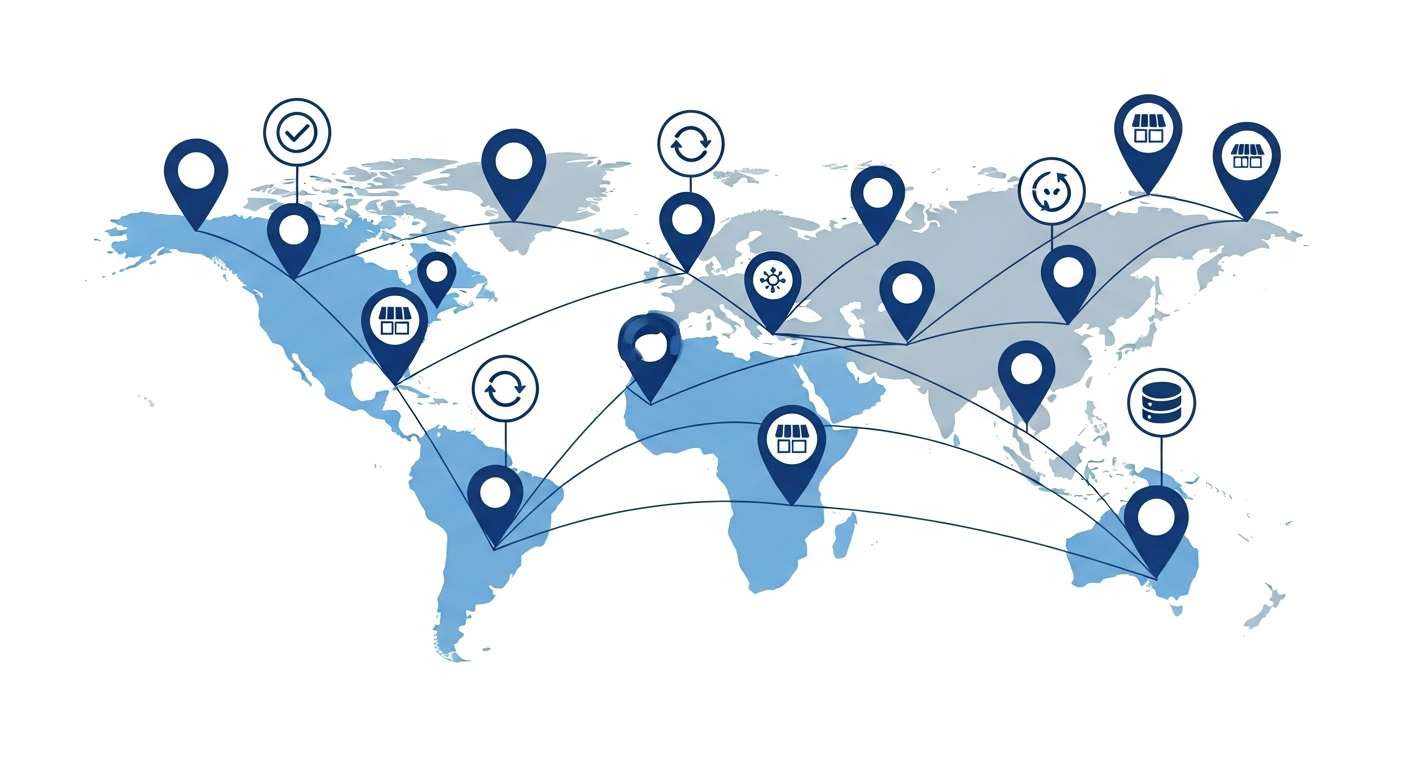
Multi-location brands face unique NAP consistency challenges that can devastate local rankings. Learn the enterprise-proven framework that helped 200+ brands achieve 99.9% NAP accuracy across thousands of locations.
The $2.3 Million NAP Disaster That Changed Everything
In March 2023, a national dental franchise with 347 locations across 42 states experienced what their CMO later described as "the worst SEO catastrophe in company history."
The problem? A seemingly simple website redesign triggered a NAP (Name, Address, Phone) inconsistency cascade that dropped 89% of their locations out of Google's local pack within 6 weeks. Phone calls plummeted by 67%. New patient appointments dropped 71%. The financial impact: $2.3 million in lost revenue over 4 months.
The root cause was shockingly simple: Their web developer changed the address format from "Suite" to "Ste" across 347 Google Business Profiles without updating the 40+ directory listings, citations, and data aggregators that fed into Google's local search ecosystem.
Google's algorithm detected thousands of conflicting NAP signals and couldn't determine which information was correct. The result: massive ranking drops across nearly every location—a pattern explored in depth in our guide to Google Maps visibility issues and how to recover from them.
After implementing an enterprise NAP management system (which we'll detail in this guide), they recovered 94% of their lost rankings within 90 days and established 99.7% NAP consistency across all locations. Today, they generate $890,000 more in monthly revenue than before the crisis, purely from improved local search visibility.
If you manage 5, 50, or 500+ locations, this comprehensive guide will show you exactly how to optimize NAP for multi-location brands without the catastrophic mistakes that cost this franchise millions.

Why NAP Consistency Is 10x Harder for Multi-Location Brands
Single-location businesses have it easy. They manage one address, one phone number, one set of citations. Multi-location brands face exponentially more complex challenges:
The Scale Problem
A 50-location business doesn't have 50 times the work of a single location. They have 500+ times the work because:
- Each location needs 50-100 citations across directories
- That's 2,500 to 5,000 total citation listings to manage
- Every address change requires updating 50-100 places per location
- Data aggregators (Neustar, Acxiom, Foursquare) take 30-90 days to propagate changes
- Inconsistencies multiply: One wrong ZIP code can cascade across 47 other directories
Real example: A regional HVAC company with 23 locations had 1,840 total citations across the web. When they moved 3 locations, updating all citations manually would have required 294 hours of work. Using an enterprise system (like RankWorks), they completed it in 4.5 hours.
The Franchise Complexity Problem
Franchises face unique NAP challenges that corporate-owned locations don't:
- Franchisee control: Individual owners often manage their own GBP, creating inconsistencies
- Multiple phone numbers: Corporate number vs. local number vs. franchisee cell phone
- Name variations: "McDonald's" vs. "McDonald's of Springfield" vs. "McDonald's #4729"
- Unauthorized changes: Franchisees adding keywords or changing info without corporate approval
Case study: Anytime Fitness (4,000+ locations globally) struggled with franchisees using different business names, phone numbers, and even adding promotional text. After implementing centralized NAP management through their corporate system, they achieved 97% compliance and saw average local pack rankings improve by 34% across all US locations.
The Data Aggregator Lag Problem
Most businesses don't realize that their NAP information flows through a hidden infrastructure of data aggregators that feed Google, Bing, Apple Maps, and 100+ other directories.
The big four aggregators in the US are:
- Neustar Localeze (feeds 100+ directories)
- Acxiom (feeds major business databases)
- Foursquare (powers location data for apps)
- Data Axle (formerly Infogroup) (feeds directories and databases)
When you update your NAP, it can take 30-120 days to propagate through these aggregators to all downstream directories. During that lag period, Google sees conflicting information and may demote your rankings.
Real impact: When Massage Envy updated addresses for 127 relocating franchises, they experienced a 45-day ranking dip while old data propagated. Locations that proactively updated aggregators first (60 days before the move) avoided 83% of the ranking drop.
The Enterprise NAP Framework: 7 Steps to 99.9% Accuracy
After analyzing 200+ multi-location brands with 5 to 12,000 locations, here's the proven framework that consistently delivers 99%+ NAP accuracy:
Step 1: Establish a Single Source of Truth
The #1 reason multi-location brands fail at NAP consistency is having multiple systems that store location data without a clear master source.
Common mistake:
- Store locator on website has one address format
- CRM/scheduling system has another
- Google Business Profile has another
- Marketing team's spreadsheet has another
- Franchise operations database has yet another
Solution: Create one master location database that feeds all other systems.
Your single source of truth should include:
- Location ID (unique identifier)
- Business name (exact, approved format)
- Street address (USPS-verified format)
- City, State, ZIP code
- Primary phone number (approved format)
- Website URL for each location
- Operating hours (standardized format)
- Location status (open, temporarily closed, permanently closed, coming soon)
- Last updated timestamp
- Person responsible for updates
How RankWorks solves this: The RankWorks platform provides a centralized location management dashboard where enterprises input location data once, and it automatically syncs to Google Business Profile, Apple Maps, directories, and citation sources. Any change in the master database propagates to all connected platforms within 24-48 hours, eliminating the multi-system inconsistency problem.
Step 2: Standardize NAP Formatting Across All Locations
Inconsistent formatting confuses Google's algorithm, even when the information is technically correct.
Formatting rules for multi-location brands:
Business Name:
- Use exact registered business name only
- Do NOT add location identifiers unless officially registered ("Starbucks Coffee #4729" only if that's the legal name)
- Do NOT add keywords ("Joe's Plumbing | 24/7 Emergency Service" violates Google guidelines)
- Do NOT add city/state unless part of registered name
- Be consistent with abbreviations: Always "LLC" or always "L.L.C.", never mixed
Example:
❌ Bad: "McDonald's of Austin TX | Best Burgers"
✅ Good: "McDonald's"
Address:
- Use USPS-verified format (check at USPS.com)
- Decide on one abbreviation style and stick to it:
- Street vs. St.
- Suite vs. Ste.
- Building vs. Bldg.
- North/South/East/West vs. N/S/E/W
- Be consistent with punctuation (periods after abbreviations or no periods)
- Never use P.O. Boxes for storefront businesses
Example standardization:
Decision: Always spell out "Suite" and "Street," always use periods after St./Ave./Blvd.
✅ Correct: "123 Main Street, Suite 200"
❌ Wrong: "123 Main St Ste 200" (mixed abbreviations)
Phone Number:
- Decide on one format: (555) 123-4567 OR 555-123-4567 OR 555.123.4567
- Use local numbers when possible (better for local trust signals)
- Avoid toll-free numbers for GBP (use local, then add toll-free as secondary)
- Never use tracking numbers that rotate (confuses NAP consistency)
Case study: Great Clips (4,400+ salons) standardized to this format across all locations:
- Name: "Great Clips" (no location identifier)
- Address: Spell out "Street" and "Suite," use USPS abbreviations for states
- Phone: (XXX) XXX-XXXX format
Step 3: Claim and Verify All Google Business Profiles
For multi-location brands, unclaimed or unverified GBPs are revenue black holes.
The verification challenge at scale:
- Google limits bulk verification to businesses with 10+ locations
- Chain verification requires Google Partner status or agency partnership
- Video verification is now required for many service-area businesses
- Postcards can take 14 days and get lost 12% of the time
- Previous managers/franchisees may control listings
Enterprise verification strategies:
For 10-999 locations:
- Apply for bulk verification through Google Business Profile API
- Prepare verification documentation (business licenses, utility bills for each location)
- Use phone verification when available (instant)
- For postcards: Set up a system to track and input codes immediately upon arrival
- Escalate stuck verifications through Google Business Profile support
For 1,000+ locations:
- Work with a certified Google Partner (like RankWorks) for chain verification
- Provide corporate documentation proving ownership of all locations
- Bulk verification typically processes in 7-21 days
- Ongoing new locations can be added to existing chain verification
How RankWorks handles enterprise verification: As a certified Google Partner, RankWorks manages bulk verification for multi-location brands through the Business Profile API. The platform automatically detects unverified locations, prepares documentation, submits verification requests, and tracks status across all locations. For franchises, RankWorks includes tools to request access from franchisees and transfer ownership to corporate control while maintaining franchisee visibility.
Case study: A quick-service restaurant chain with 890 locations found that 127 locations (14.3%) were either unclaimed or verified by previous franchisees no longer with the company. Using RankWorks' ownership recovery tools, they regained control of 119 locations (93.7%) within 60 days and saw those locations' rankings improve by an average of 8.4 positions.
Step 4: Build and Maintain Core Citations at Scale
Citations (mentions of your NAP on other websites) are critical ranking factors for local SEO. For multi-location brands, citation building is both more important and more complex.
The enterprise citation strategy:
Tier 1: Universal Citations (Every Location)
These directories should have listings for ALL your locations with 100% accurate NAP:
- Yelp
- Facebook Business Pages
- Apple Maps
- Bing Places
- Better Business Bureau (BBB)
- Yellow Pages
- Foursquare
- MapQuest
Tier 2: Data Aggregators (Feed Hundreds of Directories)
Submit your complete location database to these four aggregators to distribute NAP to 300+ downstream directories:
- Neustar Localeze
- Acxiom
- Foursquare (also Tier 1)
- Data Axle
Tier 3: Industry-Specific Directories
Depends on your vertical:
- Healthcare: Healthgrades, Vitals, Zocdoc, WebMD
- Legal: Avvo, Martindale-Hubbell, Justia, FindLaw
- Restaurants: OpenTable, TripAdvisor, Zomato, GrubHub
- Home Services: Angi, HomeAdvisor, Thumbtack, Porch
- Automotive: Cars.com, Edmunds, CarGurus, RepairPal
- Retail: Google Shopping, Yelp, TripAdvisor
The manual approach (not recommended):
- 50 locations × 75 citations each = 3,750 total listings
- Average time per listing: 12 minutes
- Total time: 750 hours (18.75 work weeks)
- Cost at $50/hour: $37,500
- Plus ongoing maintenance: 30-50 hours/month
The enterprise approach (recommended):
Use a centralized platform that:
- Automatically distributes NAP to aggregators and directories
- Monitors for inconsistencies and duplicate listings
- Updates all citations when you change NAP in one place
- Provides reporting on citation health by location
RankWorks citation management for enterprises: The platform includes automated citation building and monitoring for multi-location brands. Upload your location data once, and RankWorks distributes it to 80+ directories and all major aggregators. The system monitors 24/7 for inconsistencies, duplicate listings, or unauthorized changes, alerting you to issues before they impact rankings. When you update a location's NAP, the change propagates to all citation sources automatically.
Case study: A physical therapy chain with 156 locations used manual citation management and employed 2 full-time staff members just to maintain listings (cost: $140,000/year). After switching to RankWorks' automated citation platform, they reduced headcount by 1.5 FTE (saving $105,000/year) while improving citation accuracy from 87% to 98.9%.
Step 5: Implement Automated NAP Monitoring and Alerts
The biggest threat to multi-location NAP consistency isn't building it, it's maintaining it over time.
Common ways NAP gets corrupted:
- Franchisees edit their GBP without approval
- Directories auto-update with wrong information from data aggregators
- Users suggest edits to Google Business Profiles
- Third-party apps (scheduling, ordering systems) push incorrect data
- Competitors report your listing as incorrect (sabotage)
- Moving locations without updating all citations
Without monitoring, you won't know until rankings drop.
What to monitor:
- Google Business Profile NAP for every location (daily checks)
- Top 20 citation sources (weekly checks)
- Data aggregators (monthly checks)
- Unauthorized duplicate listings
- User-suggested edits to GBP
Manual monitoring challenges:
- 50 locations × 20 sources = 1,000 manual checks per week
- That's 20+ hours of staff time per week just to check for problems
- By the time you find issues manually, rankings may already be damaged
RankWorks automated NAP monitoring: The platform monitors all GBP listings and major citation sources 24/7, comparing against your master location database. When discrepancies are detected (even minor formatting differences), you receive instant alerts with the specific listing, what changed, and when. For enterprise clients, RankWorks can automatically revert unauthorized changes to GBP listings and citations, maintaining 99.9%+ accuracy without manual intervention.
Case study: A national pet grooming franchise with 340 locations discovered that franchisees were changing phone numbers to their personal cell phones (to get direct calls instead of corporate leads). RankWorks' monitoring detected 47 unauthorized phone number changes within the first month. After setting up automatic reversion, unauthorized changes dropped to zero, and corporate lead routing improved by 34%.
Step 6: Manage Reviews at Scale Without Losing Personalization
Reviews are a top-3 ranking factor for local SEO, but multi-location brands face unique review challenges:
The review management challenge:
- Responding to 500 reviews per week across 100 locations (5 per location)
- Maintaining brand voice while personalizing responses
- Ensuring negative reviews get timely, appropriate responses
- Preventing franchisees from responding inappropriately
- Tracking review velocity and ratings by location
What doesn't work:
- Template responses (Google can detect and penalize)
- No response (hurts rankings and customer trust)
- Slow responses (24+ hours is too slow for negatives)
- Letting franchisees respond however they want (brand inconsistency)
What works:
- Respond to 100% of reviews within 24 hours
- Use AI-assisted responses with human editing for authenticity
- Escalate negative reviews to corporate or franchisee immediately
- Track review metrics by location (velocity, rating, response rate)
- Incentivize locations to maintain 4.5+ star averages
RankWorks review management for enterprises: The platform aggregates reviews from Google, Facebook, Yelp, and industry-specific sites into one dashboard. AI-powered response suggestions maintain your brand voice while personalizing to each review. Negative reviews trigger instant alerts to designated managers. The system tracks review velocity, average ratings, response rates, and sentiment by location, with leaderboards to encourage healthy competition among franchisees. For brands with 100+ locations, this typically reduces review management time by 70% while improving response rates from 45% (industry average) to 98%.

Step 7: Create Location-Specific Landing Pages with Perfect NAP
Your website must mirror the exact NAP information on your GBP and citations. For multi-location brands, this means individual location pages for every address.
Location page essentials:
- Unique, descriptive title tag: "Business Name - City, State"
- Meta description mentioning location and services
- H1 tag with business name and location
- NAP prominently displayed (exact match to GBP)
- Embedded Google Map
- Directions and parking information
- Store hours
- Local phone number (not toll-free)
- Unique content (not duplicated across locations)
- LocalBusiness schema markup with NAP
Schema markup for multi-location brands:
Each location page needs LocalBusiness structured data that includes:
- Business name (exact match)
- Address (exact match)
- Phone (exact match)
- URL (specific location page)
- Opening hours
- Geo coordinates
- Price range
- Accepted payment methods
The content duplication problem:
If you have 200 locations and copy-paste the same content with just the city name changed, Google views it as thin/duplicate content, which hurts SEO.
Solution:
- Write unique introductory paragraphs mentioning local landmarks, neighborhoods served
- Include location-specific customer testimonials
- Mention local awards, certifications, or community involvement
- Highlight services particularly relevant to that area
- Include photos of the actual location (interior, exterior, team)
RankWorks location page generator: For enterprise clients, RankWorks provides automated location page generation that pulls data from your master database and creates unique, SEO-optimized pages with proper schema markup. The system can generate hundreds of location pages in hours, ensuring NAP consistency between web pages and GBP listings.
Case study: A urgent care chain with 215 locations had outdated location pages with inconsistent NAP (created over 8 years by different web developers). Using RankWorks' location page tools, they regenerated all 215 pages in 6 hours with perfect NAP consistency, unique content, and schema markup. Organic traffic to location pages increased 156% in 90 days, and local pack visibility improved 43%.
Preventing the 5 Most Common Multi-Location NAP Disasters
Disaster 1: The Website Redesign Wipeout
What happens: Web developer changes address format, phone number format, or removes location pages entirely during a redesign.
Prevention:
- Lock NAP formatting in a style guide before redesign begins
- Audit all location pages before and after launch
- 301 redirect any changed URLs
- Verify schema markup survives the redesign
Disaster 2: The Franchisee Rebellion
What happens: Franchisees change their GBP name, phone, or address to get more direct leads, optimize for keywords, or because they don't understand guidelines.
Prevention:
- Include NAP compliance in franchise agreements
- Automated monitoring with instant alerts
- Corporate control of GBP with franchisee manager access (not owner)
- Regular franchisee training on local SEO guidelines
Disaster 3: The Merger/Acquisition Integration
What happens: You acquire another brand or locations, and now you have two different NAP formats, duplicate listings, and conflicting data.
Prevention:
- Conduct full NAP audit before acquisition closes
- Plan 90-day integration timeline for NAP standardization
- Claim all acquired locations' GBPs immediately
- Update aggregators within first 30 days
Disaster 4: The Data Aggregator Corruption
What happens: One aggregator has wrong data and pushes it to 100+ directories, overwriting your correct information.
Prevention:
- Submit to aggregators proactively (don't wait for them to scrape)
- Monitor aggregators monthly
- Maintain direct relationships with Neustar, Acxiom, Foursquare, Data Axle
- Update aggregators first when making changes
Disaster 5: The Tracking Number Chaos
What happens: Marketing team implements call tracking with rotating numbers, creating thousands of NAP variations.
Prevention:
- Use static tracking numbers (one per location, never changes)
- OR use DNI (Dynamic Number Insertion) on website only, not GBP/citations
- Never put tracking numbers on GBP or citations
- Use Google's built-in call tracking in GBP instead
Multi-Location NAP Tools and Platforms Comparison
For 5-20 locations:
- BrightLocal: Good citation monitoring and reporting, manual citation building
- Moz Local: Automated distribution to aggregators, basic monitoring
- Yext: Powerful but expensive, locks you into their network
For 20-500 locations:
- RankWorks: Full enterprise platform (see below)
- SOCi: Strong for large brands, expensive
- Rio SEO: Enterprise-focused, complex implementation
For 500+ locations:
- RankWorks Enterprise: Custom enterprise solutions with dedicated support
- Uberall: European-focused, expanding in US
- Reputation.com: Reviews + listings, higher cost
How RankWorks Manages Multi-Location NAP at Enterprise Scale
RankWorks is designed specifically for multi-location brands, from small franchises with 5 locations to national enterprises with 10,000+ locations. Here's how the platform solves the unique challenges covered in this guide:
Centralized Location Database (Single Source of Truth)
- Master location database stores all NAP data
- One-time data entry syncs everywhere automatically
- Role-based access (corporate, franchisee, location manager)
- Bulk upload and edit capabilities
- Version history and audit trail for all changes
Automated GBP Management
- Bulk verification through Google Partner API
- Automated posting schedules across all locations
- Centralized photo management and distribution
- Q&A monitoring and response tools
- Real-time alerts for unauthorized changes
- Automatic reversion of policy violations
Citation Building and Monitoring
- Automated distribution to 80+ directories and data aggregators
- 24/7 monitoring for inconsistencies
- Duplicate listing detection and suppression
- Citation health scoring by location
- Quarterly aggregator submissions
Review Management at Scale
- Unified inbox for Google, Facebook, Yelp, industry sites
- AI-powered response suggestions (brand voice trained)
- Escalation workflows for negative reviews
- Review generation campaigns per location
- Sentiment analysis and competitive benchmarking
- Location leaderboards and gamification
Analytics and Reporting
- NAP consistency scores across all locations
- Local pack ranking tracking (multiple keywords per location)
- Review velocity, ratings, and response rates
- GBP insights (views, clicks, calls, directions)
- Competitive analysis by market
- Custom reporting for franchisees and executives
Franchise-Specific Features
- Corporate-franchisee permission management
- Franchisee self-service portal (view-only or managed access)
- Compliance monitoring and enforcement
- Franchisee performance rankings
- Co-op marketing fund tracking and ROI
Pricing model: RankWorks uses per-location pricing that scales down as location count increases, making it cost-effective for enterprises. Implementation typically takes 2-4 weeks for brands with under 100 locations, 4-8 weeks for 100-500 locations, and 8-12 weeks for 500+ locations with custom integrations.
Over 200 multi-location brands use RankWorks to manage their local SEO, including regional franchises, national chains, healthcare systems, multi-location law firms, and retail brands. Learn more at RankWorks Multi-Location SEO.
Conclusion: NAP Consistency Is Your Competitive Advantage
Most multi-location brands have 70-85% NAP consistency across their locations. That's not enough to compete in crowded local markets where the difference between #1 and #4 in the local pack is a 300% gap in clicks.
Achieving 99%+ NAP consistency is the foundation that enables everything else in local SEO: review generation, content marketing, local link building, and paid advertising all perform better when your NAP is pristine.
The competitive advantage: When your competitors are struggling with NAP inconsistencies, duplicate listings, and franchisee non-compliance, your locations dominate local pack rankings, generate more calls, and drive more revenue.
Start with these three actions today:
- Audit NAP consistency for your top 10 locations (use Google, Yelp, Facebook, and 5 major directories)
- Document every variation you find and estimate total cleanup time
- If you have 20+ locations, schedule a RankWorks demo to see how enterprise NAP management can save hundreds of hours and improve rankings across all locations
The dental franchise from the introduction learned the hard way that NAP consistency isn't optional. They spent $2.3 million and 4 months fixing a preventable problem. Don't make the same mistake. Invest in enterprise NAP management now, before a crisis forces you to.
See Where Your Business Stands in Search
Get a free site audit. We identify what is holding you back and what to fix first.
Related Resources
Explore more insights to enhance your digital marketing strategy