Marketing Automation for Home Services & Franchises (2026 Guide)
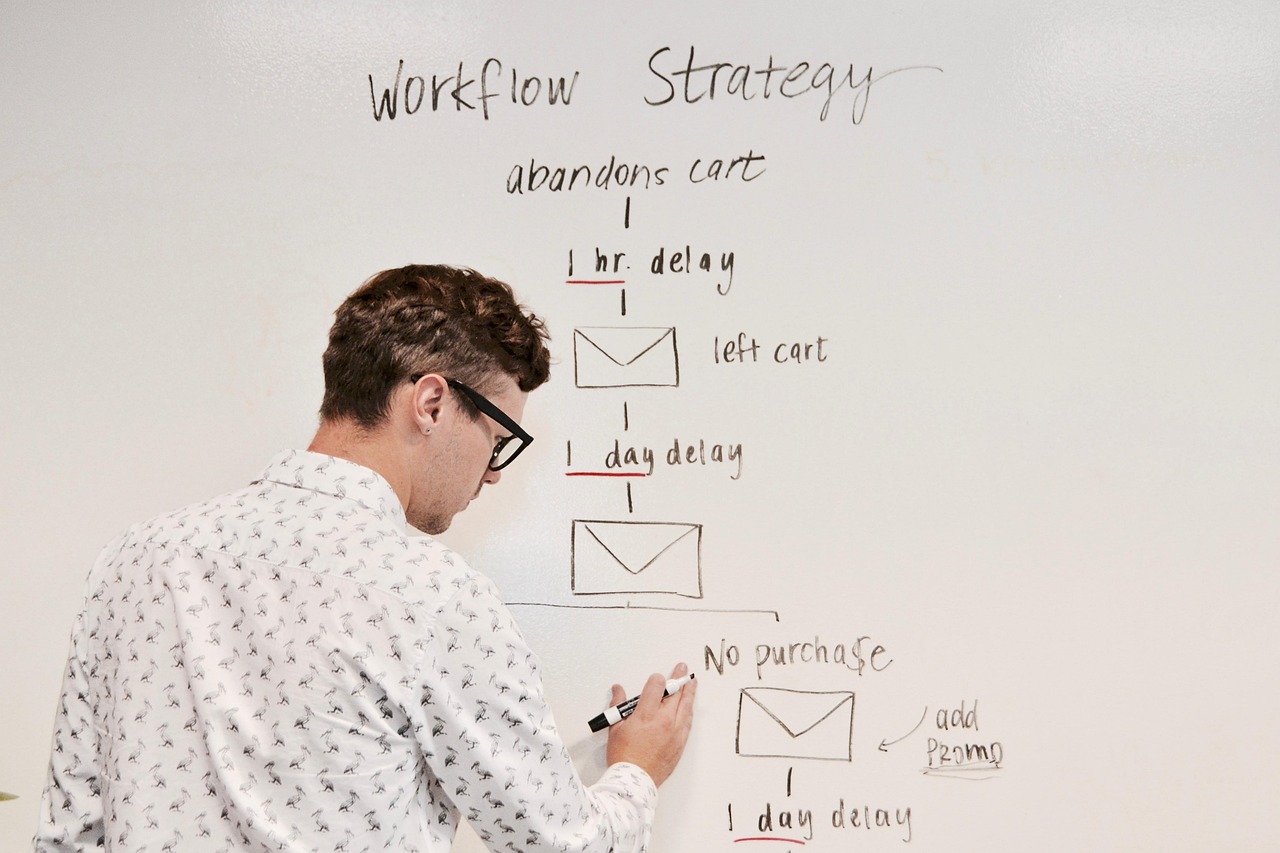
The complete guide to marketing automation for home services businesses and franchises. Learn how to automate lead follow-up, customer communication, and marketing operations across multiple locations.
Marketing Automation for Home Services & Franchises
The complete guide to automating lead follow-up, customer communication, and marketing operations across multiple locations—without adding headcount.
Home services businesses and franchises face a unique challenge: you need to respond faster, follow up more consistently, and deliver better customer experiences than ever before—but adding staff to every location isn't sustainable. Marketing automation solves this by letting technology handle the repetitive work while your team focuses on closing jobs and delighting customers.
This guide covers everything you need to know about implementing marketing automation for home services and franchise businesses, from basic concepts to advanced multi-location strategies.
Are you losing leads without knowing it?
Most home services businesses miss 30-50% of after-hours leads. Multi-location franchises often have no visibility into location-level response times.
See How Many Leads You're Losing Per Location →Why Marketing Automation Matters for Home Services
The home services industry runs on responsiveness. When a homeowner's AC breaks down in July or their basement floods at midnight, they call the first company that answers. Marketing automation ensures you never miss an opportunity—even when your office is closed or your team is on other calls.
The Cost of Missed Follow-Ups
- 78% of leads go to the first company that responds
- 5 minutes is the window before lead quality drops dramatically
- $1,200+ average revenue lost per missed HVAC or plumbing lead
- 35-50% of leads never receive a follow-up call
Core Automation Strategies for Home Services
1. Instant Lead Response
When a lead comes in at 9pm on a Saturday, what happens? For most businesses, that lead sits until Monday morning—by which point they've already called three competitors. Automation changes this:
- Immediate SMS acknowledgment: "Thanks for contacting ABC Plumbing! We received your request and will call you within 15 minutes."
- After-hours routing: Automatically send leads to on-call technicians or an answering service
- Smart scheduling: Let customers book appointments directly without waiting for a callback
- Priority flagging: Emergency calls (flooding, no heat, gas smell) get escalated immediately
📖 Related: Automate Follow-Ups Without Hiring - Learn specific SMS and call-back automation examples for home services.
2. Lead Nurturing Sequences
Not every lead is ready to book today. Some are getting multiple quotes. Others are planning a project for next month. Automation keeps you top of mind:
- Quote follow-up: Automatic check-in 24-48 hours after sending an estimate
- Educational drips: Tips on maintenance, seasonal prep, and when to call a pro
- Seasonal reminders: "Time for your annual AC tune-up" campaigns
- Review requests: Automated asks after completed jobs
3. Customer Retention Automation
Your existing customers are your best source of new revenue. Automation helps you stay connected:
- Service reminders: Annual maintenance, filter replacements, warranty expirations
- Birthday/anniversary messages: Personal touches that build loyalty
- Referral requests: Systematic asks after positive experiences
- Win-back campaigns: Re-engage customers who haven't called in 12+ months
📖 Related: How Small Businesses Can Save Time and Money With Marketing Automation - Examples of time and cost savings from automation.
Franchise-Specific Automation Strategies
Multi-location businesses have additional complexity—but also greater opportunities for automation ROI. Here's how franchises can leverage automation at scale:
Location-Based Lead Routing
When a lead comes in, automation can instantly route it to the right franchise location based on:
- ZIP code or service area mapping
- Current workload and capacity at each location
- Technician availability and specialization
- Round-robin distribution for balanced lead flow
Centralized Campaign Management
Corporate can deploy campaigns across all locations while maintaining local relevance:
- Template libraries: Pre-approved email and SMS templates franchisees can customize
- Seasonal campaigns: One-click deployment of promotions across the network
- Brand consistency: Automated enforcement of messaging guidelines
- Performance benchmarking: Compare automation results across locations
Scaling Without Adding Headcount
The traditional model says: more locations = more staff. Automation breaks this equation:
- One CSR can support 3-5 locations with proper automation
- After-hours coverage without overtime: Automation handles nights and weekends
- Consistent experience everywhere: Every location responds the same way
📖 Related: 7 Automation Ideas to Scale Without Adding Headcount - Specific automation strategies for growing without proportional staff increases.
Essential Automation Workflows
Workflow 1: New Lead Response
Trigger: New lead form submission or phone call
Immediate (0-30 seconds):
- SMS to customer: "Thanks! We received your request."
- Lead assigned to rep based on location/availability
- Alert sent to assigned rep via app notification
If no response in 5 minutes:
- Escalate to manager
- Send second customer SMS: "Someone will call you shortly"
If no response in 15 minutes:
- Auto-call customer with recorded message + option to schedule
- Alert to franchise owner
Workflow 2: Quote Follow-Up
Trigger: Estimate sent to customer
Day 1: SMS reminder with link to accept quote online
Day 3: Email with FAQ and testimonials for similar projects
Day 5: Personal call task created for rep
Day 7: Final follow-up email with limited-time incentive
Workflow 3: Post-Job Review Request
Trigger: Job marked complete in system
Day 1: Thank you SMS with satisfaction check
Day 3: If satisfied, request Google review with direct link
Day 7: If no review, second gentle ask via email
Choosing the Right Automation Platform
For home services and franchises, look for platforms that offer:
- Two-way SMS: Not just broadcast, but real conversations
- Call tracking integration: Know which marketing drives calls
- CRM/field service integration: Connect to ServiceTitan, Housecall Pro, Jobber, etc.
- Multi-location support: Separate reporting and permissions per franchise
- Easy template building: Non-technical staff can create workflows
Getting Started: Your Marketing Automation Checklist
Ready to implement? Start with these fundamentals:
📖 Download: Free Marketing Automation Checklist for Multi-Location Businesses - Step-by-step implementation guide for franchises and home services companies.
Measuring Automation ROI
Track these metrics to prove automation value:
| Metric | Before Automation | Target After |
|---|---|---|
| Lead response time | 2-4 hours | Under 5 minutes |
| Lead-to-booking rate | 15-25% | 35-50% |
| Quote follow-up rate | 40-60% | 100% |
| Review request rate | 10-20% | 80-100% |
| After-hours lead capture | Lost | 100% engaged |
Frequently Asked Questions
How much does marketing automation cost for a home services business?
Basic automation platforms start at $50-150/month. Full-featured systems with SMS, call tracking, and CRM integration typically run $200-500/month per location. Enterprise franchise solutions are custom-priced based on scale.
Will automation make my business feel impersonal?
Done right, automation makes your business feel MORE personal. Customers get faster responses, more consistent follow-up, and timely reminders—all while your team focuses on high-touch interactions that matter.
How long does it take to implement marketing automation?
Basic workflows (lead response, review requests) can be live in 1-2 weeks. Complete implementation including integrations and training typically takes 30-60 days.
Do I need technical skills to manage automation?
Modern platforms are designed for non-technical users. Most workflows can be built with drag-and-drop editors. That said, initial setup and integration often benefit from expert help.
Ready to Stop Losing Leads?
Get a free multi-location lead flow audit and see exactly where leads are falling through the cracks across your locations.
Get Your Free Lead Flow Audit Download Automation ChecklistSee Where Your Business Stands in Search
Get a free site audit. We identify what is holding you back and what to fix first.
Related Resources
Explore more insights to enhance your digital marketing strategy
Revenue Operations: Connecting Marketing, Sales, and CS Data
How high-performing RevOps teams unify data across the full customer lifecycle to eliminate reporting gaps and drive faster decisions.
Decision Intelligence Platform
Unify attribution, MMM, and incrementality into a single operating view. Route every measurement question to the right instrument automatically.
See It Run on Your Stack
Book a demo to see how RankWorks connects to your CRM, MAP, and ad platforms without adding more complexity to your martech stack.